



















Skip to content
Automail by Lineverge v14

The missing workflow layer between your systems and the wider supply chain.

Automate data collection, validation, follow-ups, and reporting beyond your ERP and PLM.

Tailored to your business. Deployed in weeks, not months.

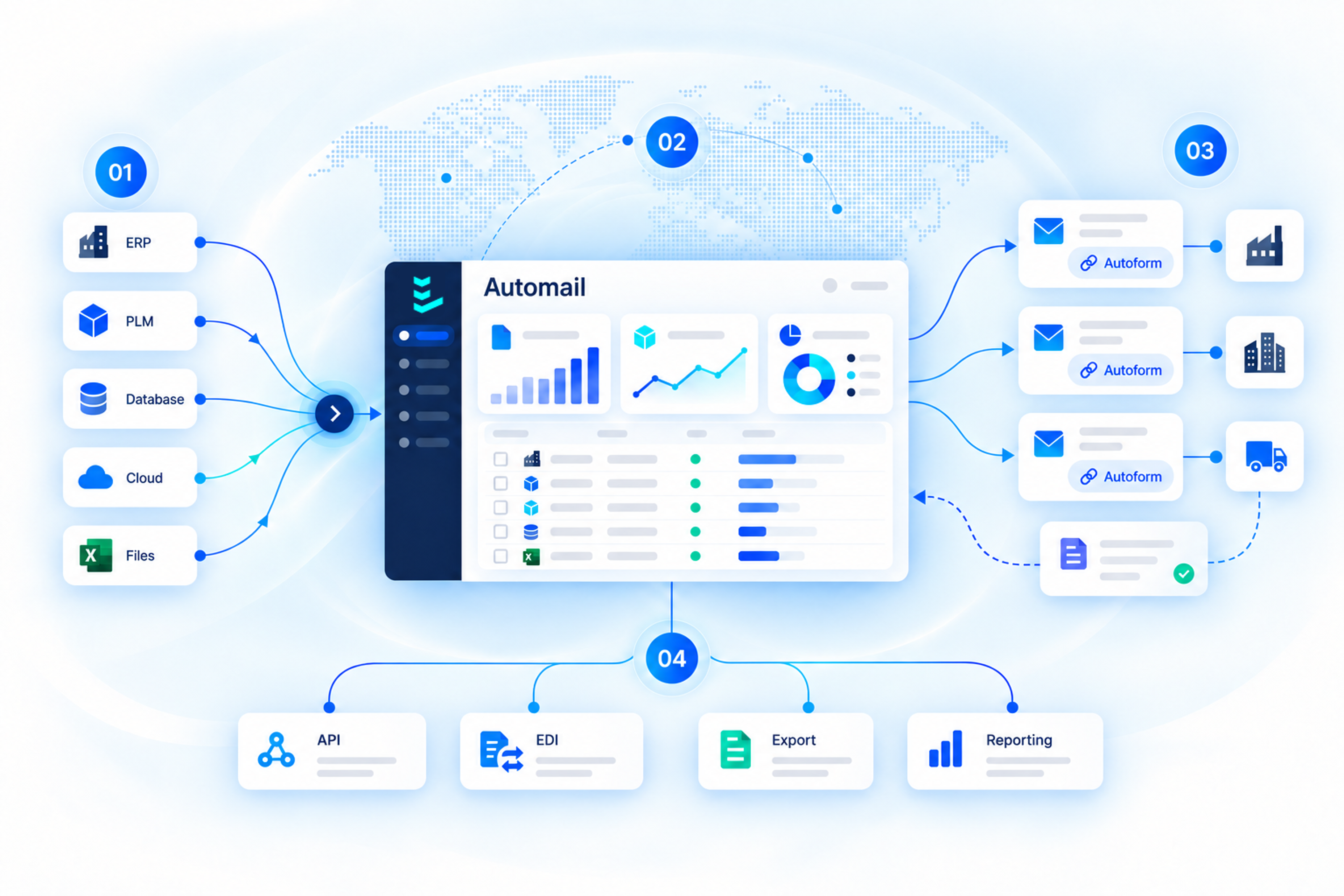
Automail sits between enterprise systems and external partners, exchanging requests and responses through email and Autoform.
Your systemsERP, PLM & reporting
AutomailRequests, checks & follow-ups
Supply chain partnersEmail & Autoform links

Trusted by Industry Leaders

How it works

Keep your systems. Connect the work around them.

Automail connects your existing ERP, PLM, and reporting tools with supply chain partners, collects missing information, and keeps data flowing between systems. No system replacement required.

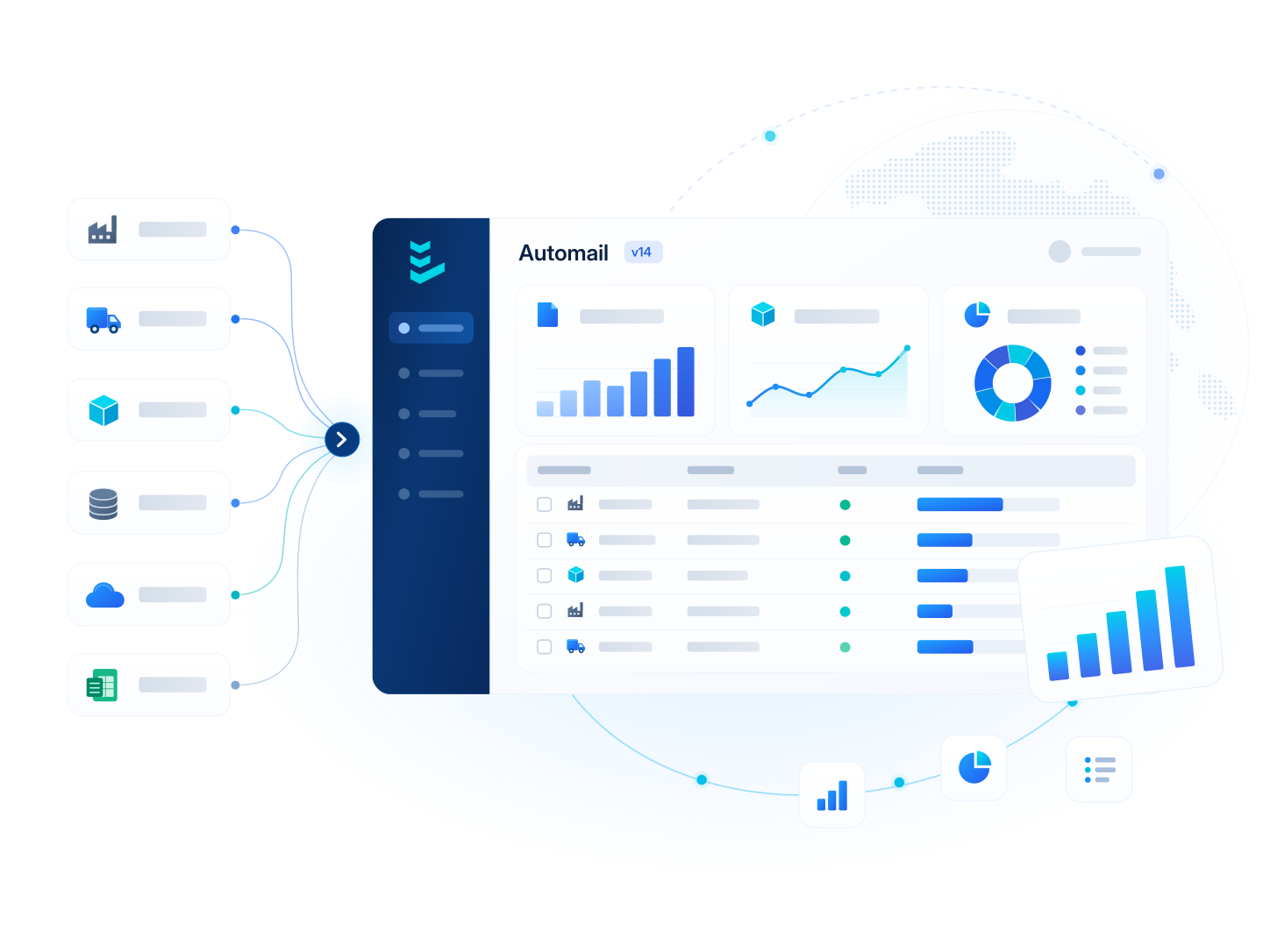
Automail connecting enterprise systems, supply chain partners, Autoform, and reporting tools.
One connected workflow between enterprise systems, external partners, and internal teams.
  1. Connect source systems

    Bring product, order, and supplier data into Automail from ERP, PLM, databases, cloud storage, or files.

  2. Manage workflows in Automail

    Use integrated data to prepare requests, prefill forms, and manage the entire process from one central workspace.

  3. Collect external data

    Automail emails unique Autoform links to supply chain partners, automates follow-ups, and brings responses back for validation and consolidation.

  4. Sync, export, and report

    Sync consolidated data with connected systems through API or EDI, export files, and feed your reporting tools.

Use cases

Different needs. The same Automail foundation.

Each module combines the tables, forms, workflows, and business rules for a specific business need. Start by automating a simple but time-consuming manual task, then gradually expand and connect modules to automate more complex operations end to end.

01 Product sourcing

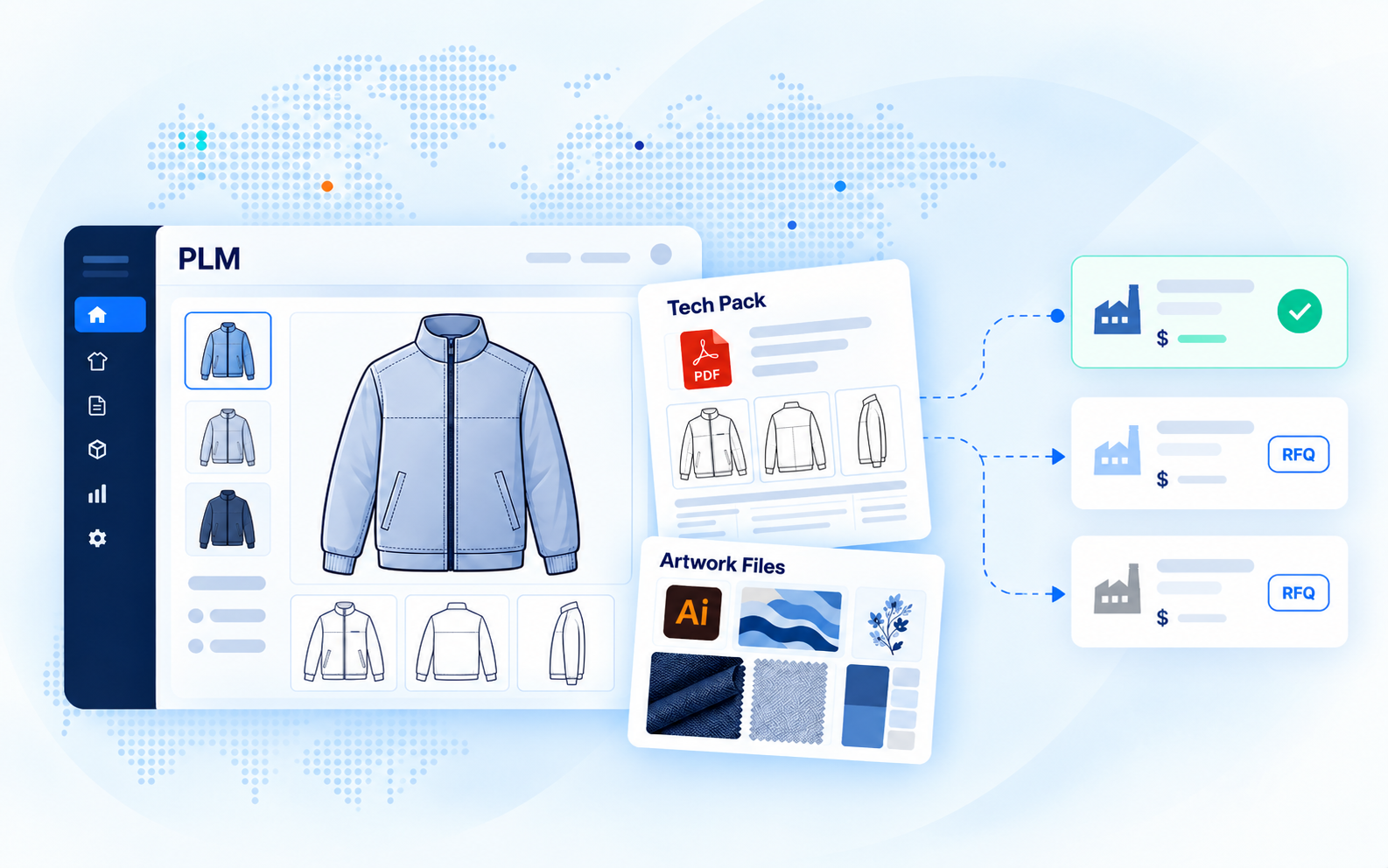
RFQ automation

Connect PLM specifications to supplier quotation sheets. Manage design revisions and compare prices and cost breakdowns across sourcing offices.

Explore use case
02 Quality control

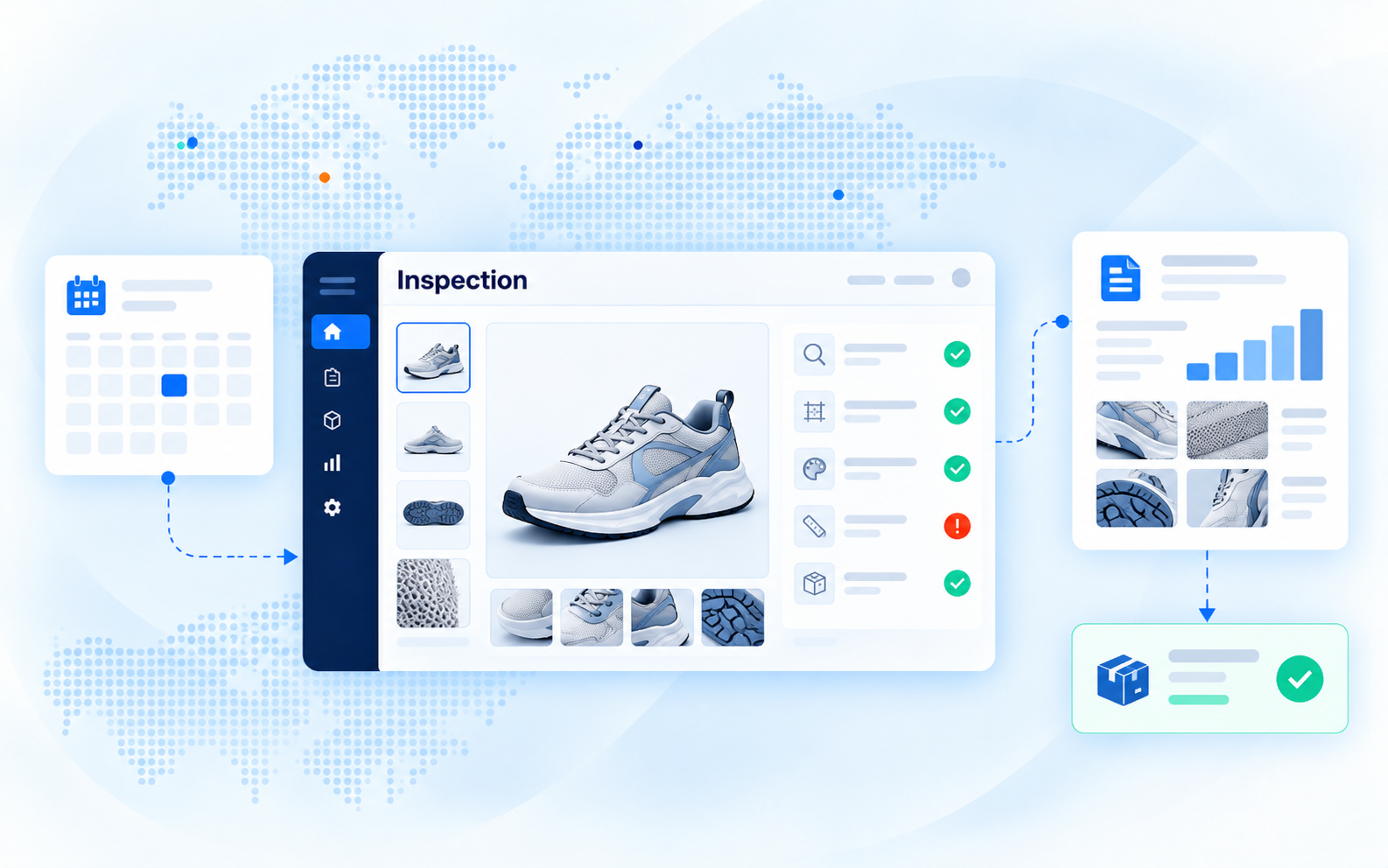
Inspection management

One of our most complex deployments: coordinate bookings, inspection allocation, quality reviews, and two-way ERP updates across the entire quality management process.

Explore use case
03 Material planning

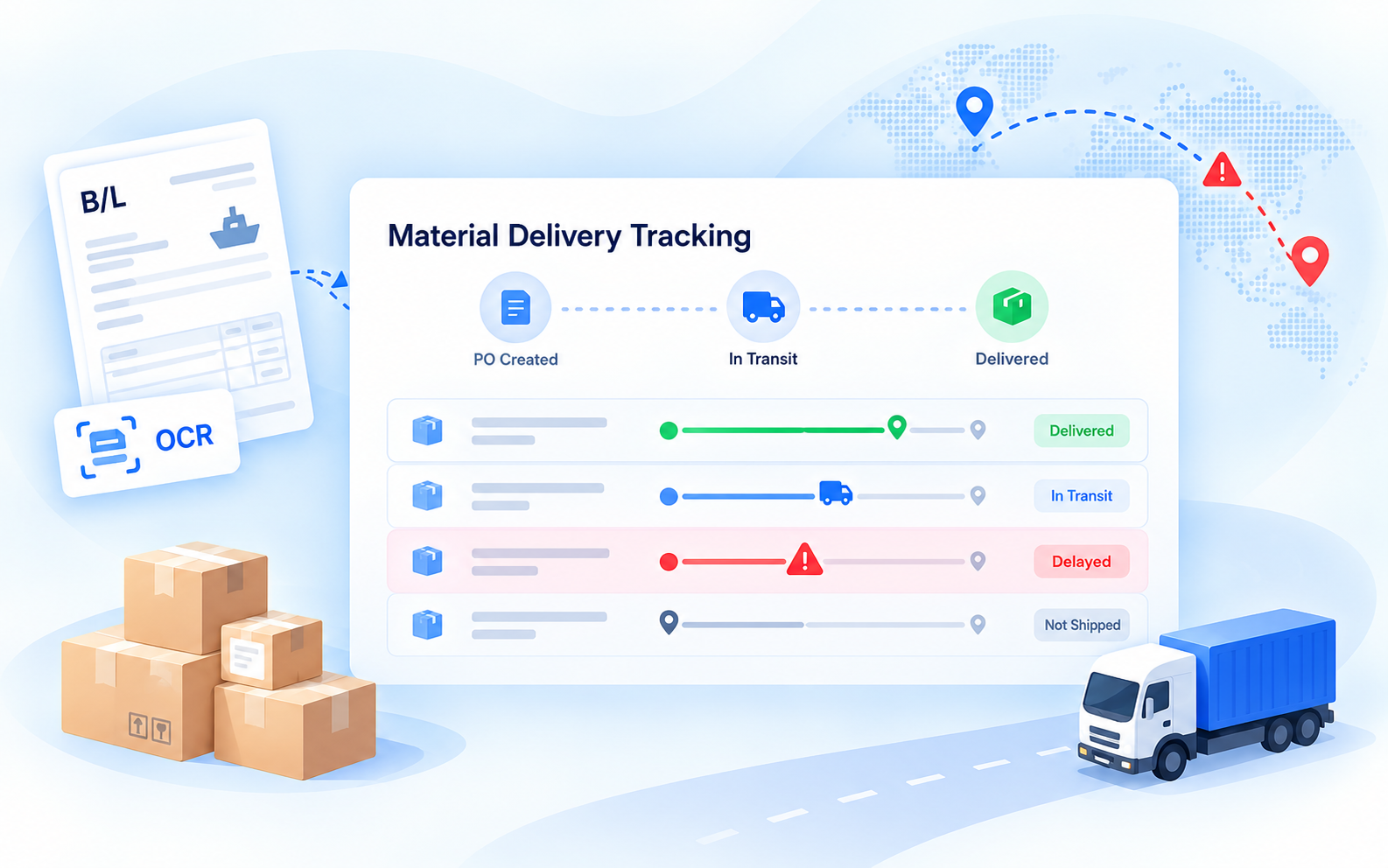
Material delivery tracking

OCR & Document Parsing

Extract shipment details from documents, track material deliveries, and anticipate delays before they disrupt production.

Explore use case
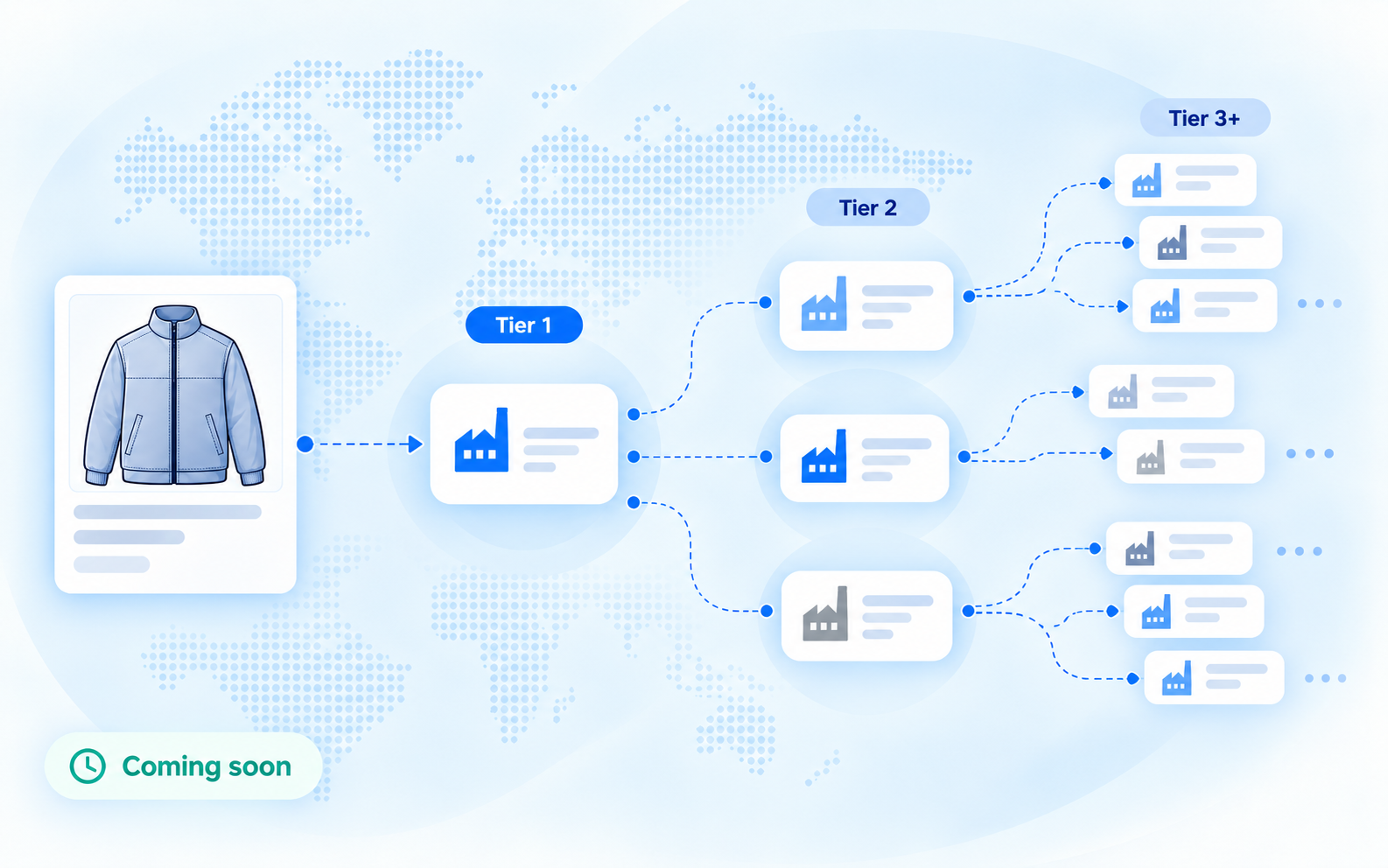
Multi-tier supply chain network connecting Tier 1 suppliers to upstream suppliers.
04 Multi-tier visibility

Upstream traceability

Discover the supply chain recursively. Automail's snowball approach asks each supplier to identify its own suppliers, extending visibility upstream.

Case study coming soon
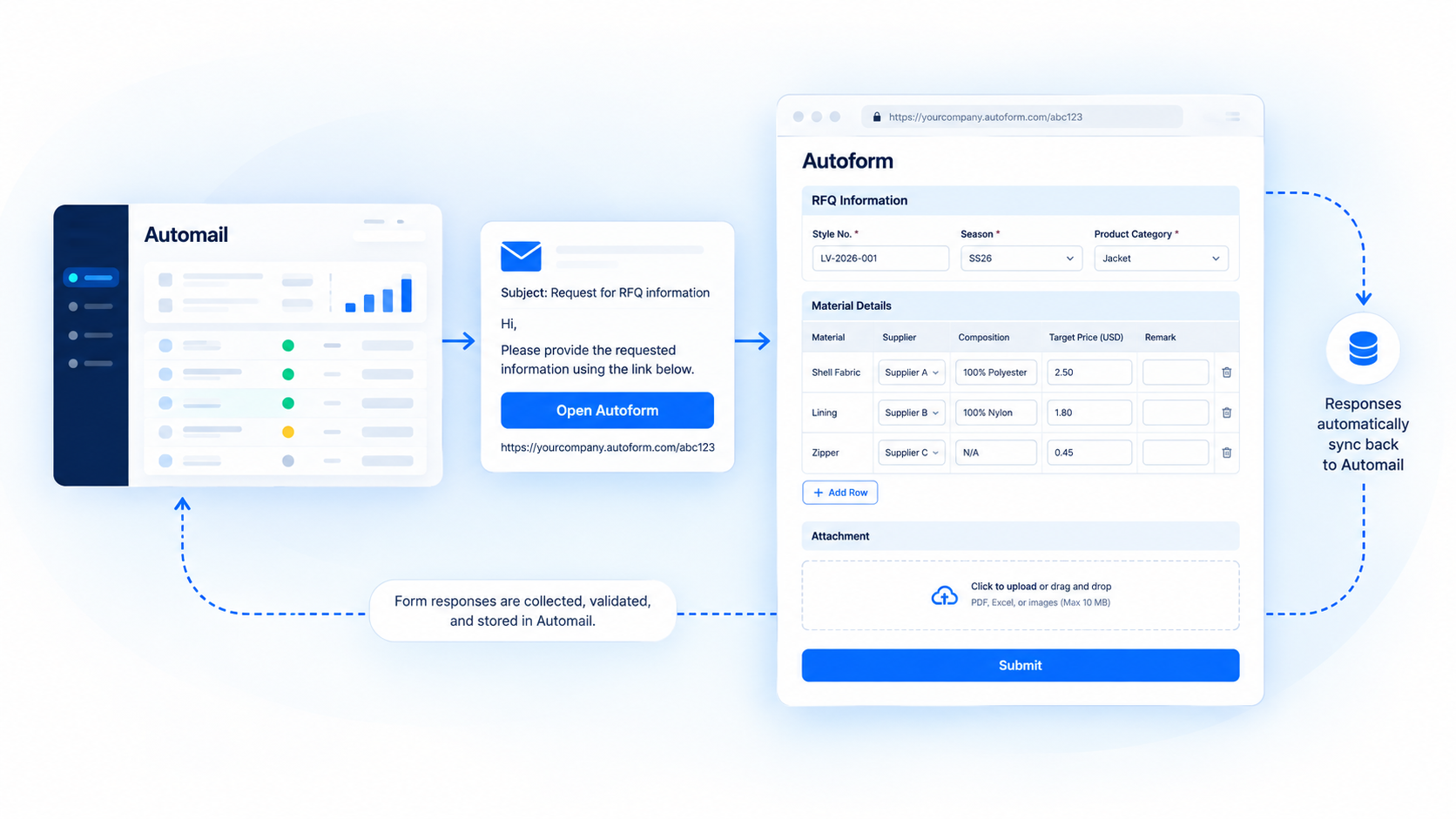
Automail emails unique Autoform links to supply chain partners, who complete web forms, tables, and file uploads. Responses sync back automatically.
Unique Autoform links for external data collection, automatically synced with Automail.
External data collection

An email and a link.
No new portal to learn.

Autoform is Automail's dedicated application for collecting data from supply chain partners through simple web forms, spreadsheet-style tables, and file uploads.

Automail prefills each form and emails a unique link. Partners submit their information through Autoform, and responses automatically sync back to Automail for monitoring, follow-ups, and analysis.

No accounts or training required. Partners never need access to Automail.
Deployment & Ongoing Support

Configured for your process.
Ready to change with it.

Start with one module, configured around your data, business rules, and existing systems.

As requirements evolve, our support team reviews the impact across modules, tests changes, and releases updates promptly.

Ongoing configuration adjustments are included in support, even after hypercare, with no additional change-request fees.
2–3 weeks Typical deployment per module Depending on scope and integrations. Full system replacements are scoped separately.
  1. Understand and connect

    Define requirements, business rules, and system integrations with your team.

  2. Configure and test

    Set up forms, emails, and workflows, then validate the module end to end.

  3. Go live and stabilize

    Launch with dedicated hypercare support and refine based on feedback.

  4. Adapt and support

    Continuously adjust configurations as business needs evolve.

Customer feedback

Built around the way real teams work.

Collecting upstream supplier information is important and is viewed as a good opportunity to enhance supply chain transparency at VF. Partnering with Lineverge has helped us elevate and automate our data collection process. Since we started working with Lineverge, we have seen significant improvement in our own work efficiency. We appreciate how Lineverge continues to add value!

Stewart KwokMaterial Traceability Manager at VF Corporation

Working with Lineverge was truly agile and flexible… instead of adapting the processes to the tool and making them rigid, we adapted the tool to our processes.

Disha PanditTransformation Project Manager at Carrefour Global Sourcing
Questions & answers

Before you get started.

The practical details for your business and IT teams.

Ask us a question

Not by default. Automail works alongside your existing systems, automating workflows they do not handle efficiently. If you want to retire a legacy ERP or PLM, Automail can also be configured to replace it, based on your business requirements, integrations, and data migration needs.

No. All external parties receive unique Autoform links by email and provide the requested information through those links. Autoform is a separate application; suppliers neither need nor receive access to Automail. Authorized company users manage the workflow in Automail.

Yes. We configure the forms, data fields, emails, responsibilities, and workflow rules around your process. Fields, formats, and rules can be adjusted as business requirements change.

A focused workflow typically takes two to three weeks to deploy, depending on scope, access to existing systems, and your team's availability. The schedule for a complete module depends on the workflows and integrations in scope. The first month after launch includes dedicated support and adjustments.

Yes. You can begin with one module, such as material delivery tracking or RFQ, for a single team or division. Extend the setup with more modules or teams as requirements grow.

Yes. API and EDI integrations can connect Automail with ERP systems, databases, and reporting tools such as Power BI and Tableau. Teams can also work with Excel files and analyze consolidated data directly in Automail.

By default, Automail is hosted on Lineverge-managed AWS infrastructure. We also support deployment in customer-managed cloud environments, including AWS, Azure, and GCP, or on-premises. Customer instances are isolated, with encryption and support for corporate single sign-on (SSO). Hosting, access controls, and security configurations are agreed in collaboration with your IT team. Read about security.

Automail has an annual license fee based on the size of your instance, including ongoing support and maintenance. Initial deployment and any additional modules are charged separately as one-off deployment fees.

Invoicing begins after deployment has been confirmed and the agreed core deliverables have been validated. Contact us to discuss your module and request a proposal.
Start with one module

Which supply chain process is still running on spreadsheets?

Show us how your team works. We will discuss what Automail can automate, how it would connect to your systems, and what a deployment would involve.